
The recipe app for family and friends
Your recipes. Safe in the Kobel*.
Snap Grandma's recipe card or a page from a cookbook. Or simply share a link. Cookobel digitises the recipe and files it neatly in your collection – with consistent quantities and nutrition per serving. When you get together, you swap recipes directly from device to device: on a visit, in a café or at a barbecue. While you cook, Cookobel walks you through the recipe step by step. On top of that there's a meal plan, a shopping list and easy editing on your computer. No subscription, no sign-up, no ads – your recipes stay on your devices.
* Kobel is the German word for a squirrel's home – where it keeps its stores, and where you keep your recipes. Say “cook-o-bell”: cook + Kobel.
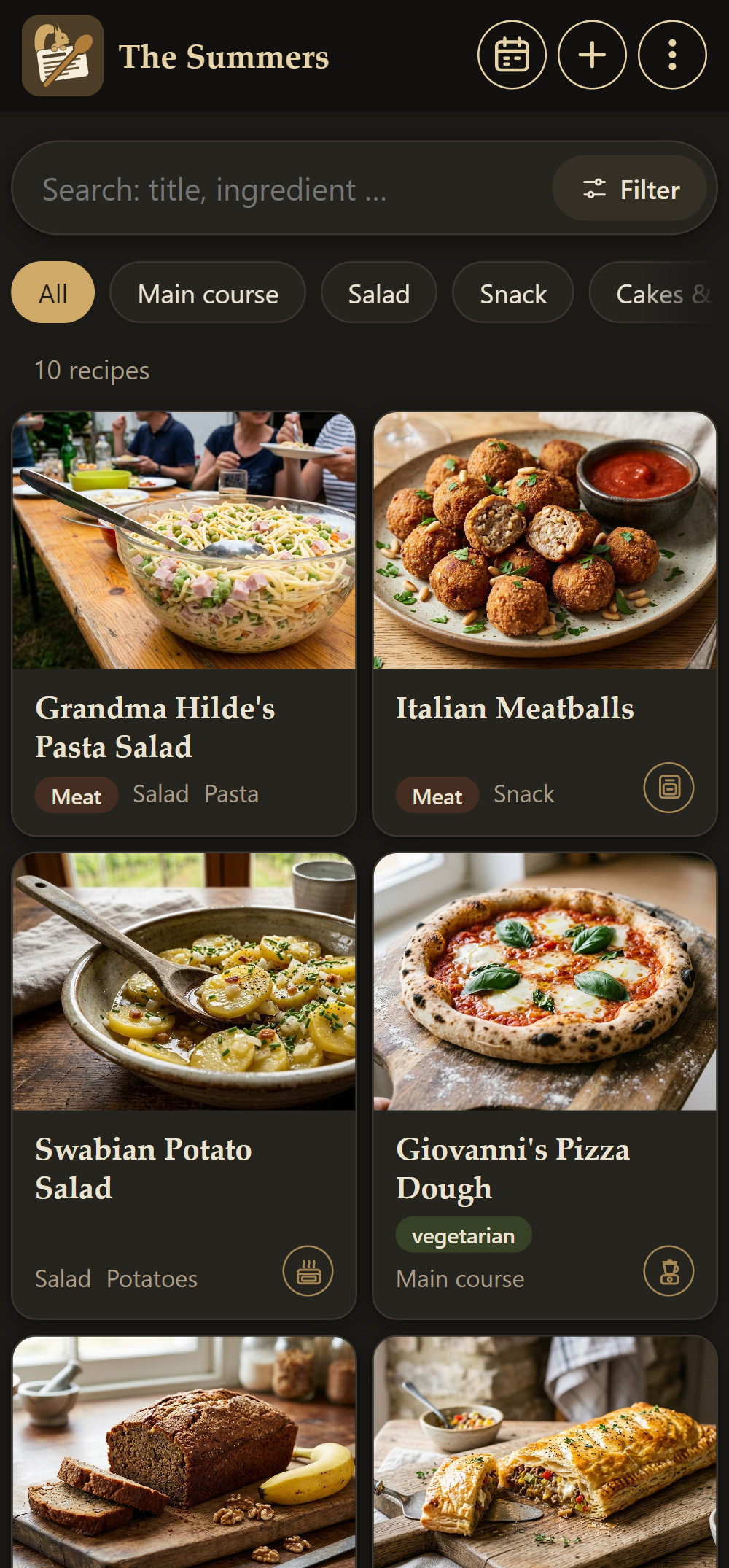
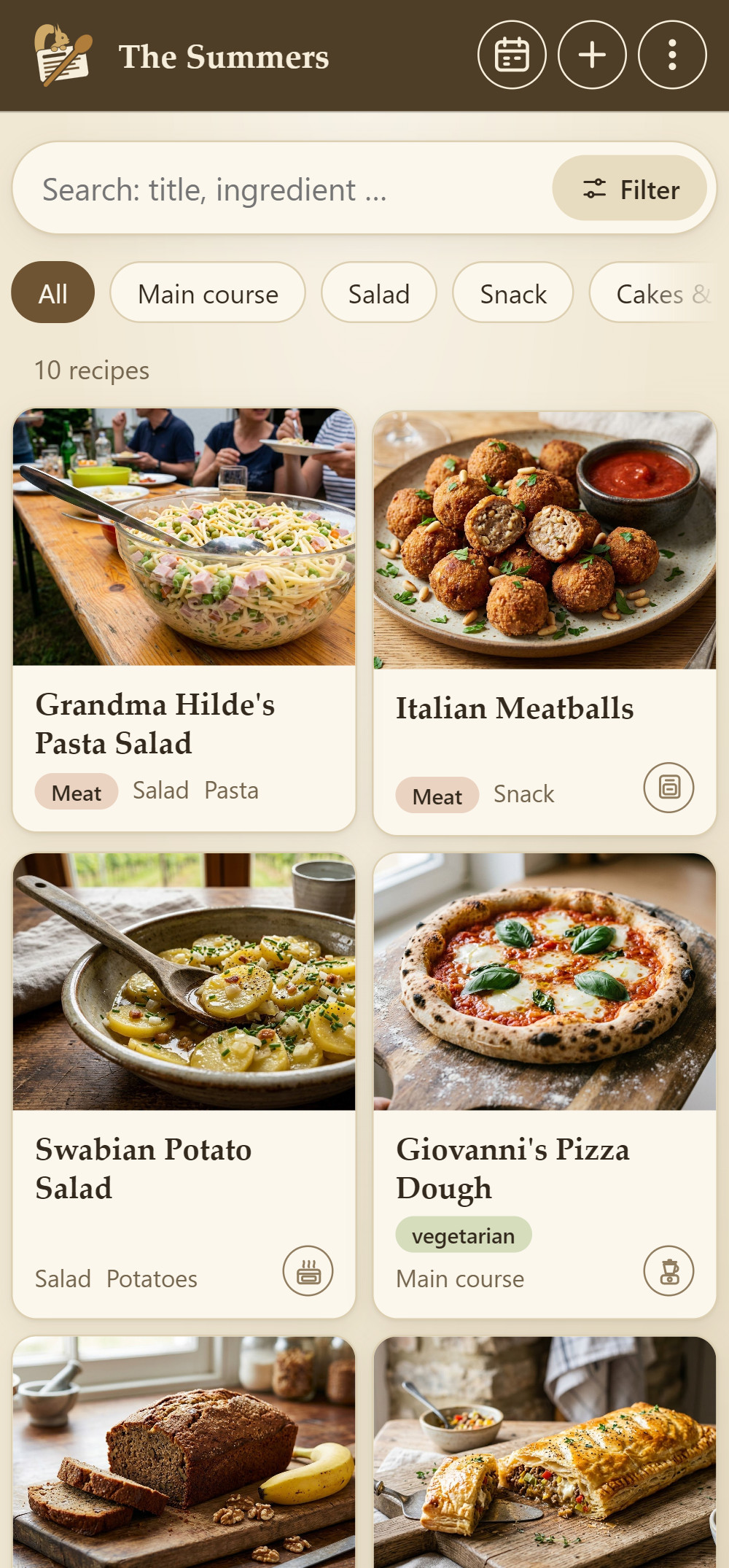
No subscription
No contract that quietly renews. You only buy what you need.
No running costs
The basic version is free, and there's nothing to pay each month. Your first 5 AI digitisations are on us.
No cloud
Your recipes live only on your devices, not in a cloud. Photos sent for digitising are deleted afterwards.
No sign-up
No account, no email address, no password. Open the app, name your household, off you go.
It's that easy
From the note in the kitchen drawer to a finished meal plan – in four steps.
Take a photo or paste a link
A cookbook page, Grandma's handwriting, a screenshot or a link from the web. A short note such as “Thermomix recipe” helps with digitising.
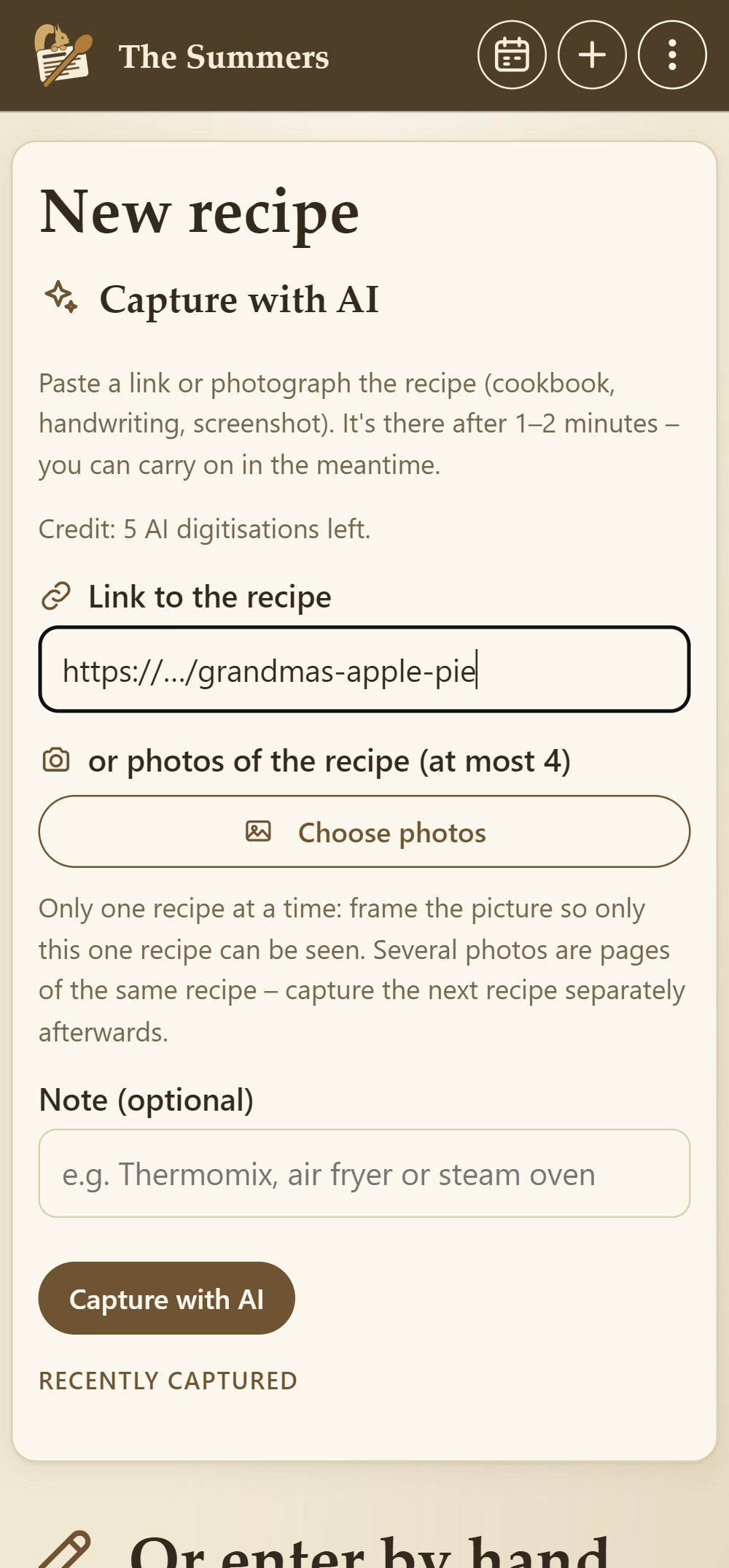
Cookobel digitises
Cookobel reads the recipe, understands it and puts it into shape: consistent quantities, clear steps, servings, tags and nutrition. After a minute or two it's in your collection. Your photos are deleted afterwards.
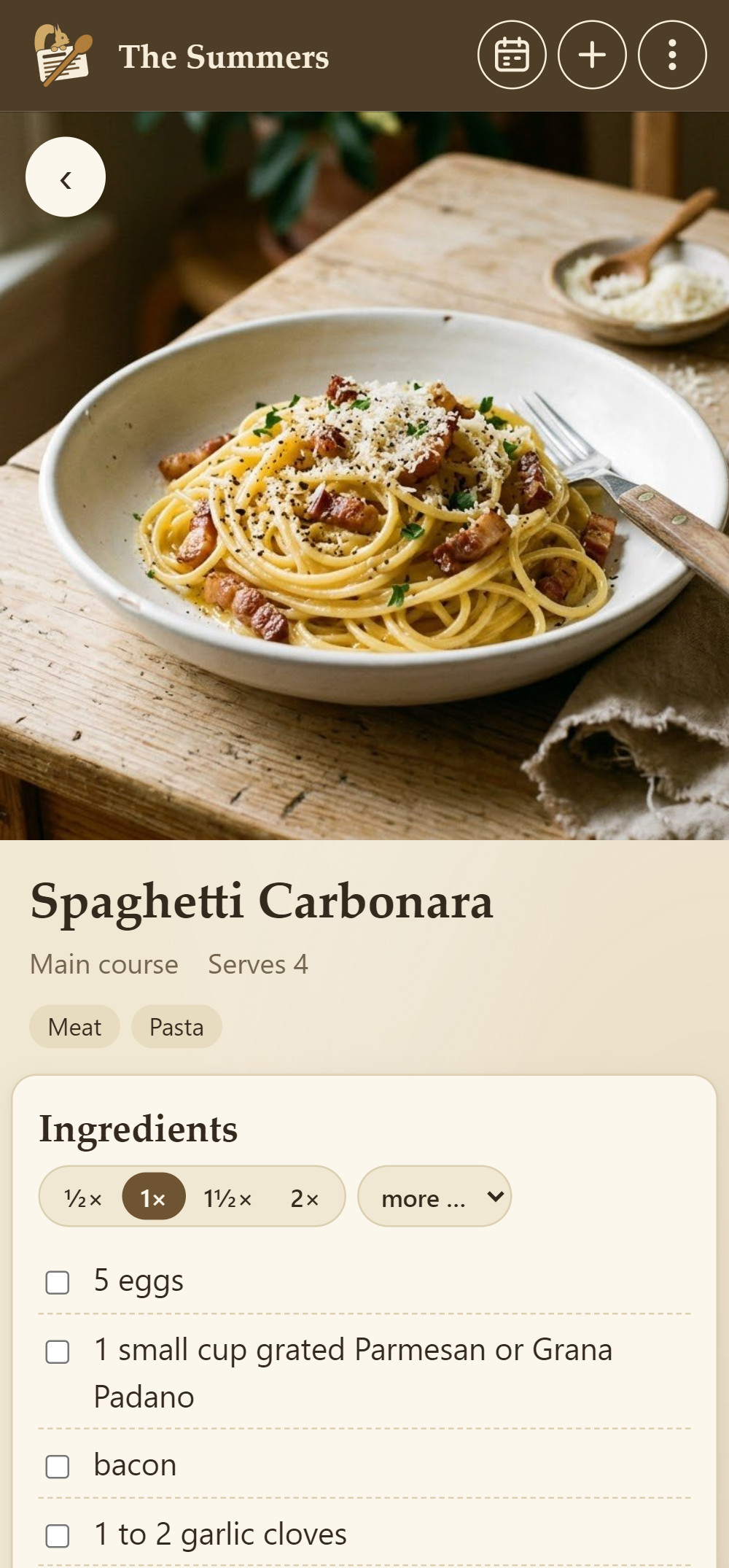
Cook, plan, shop
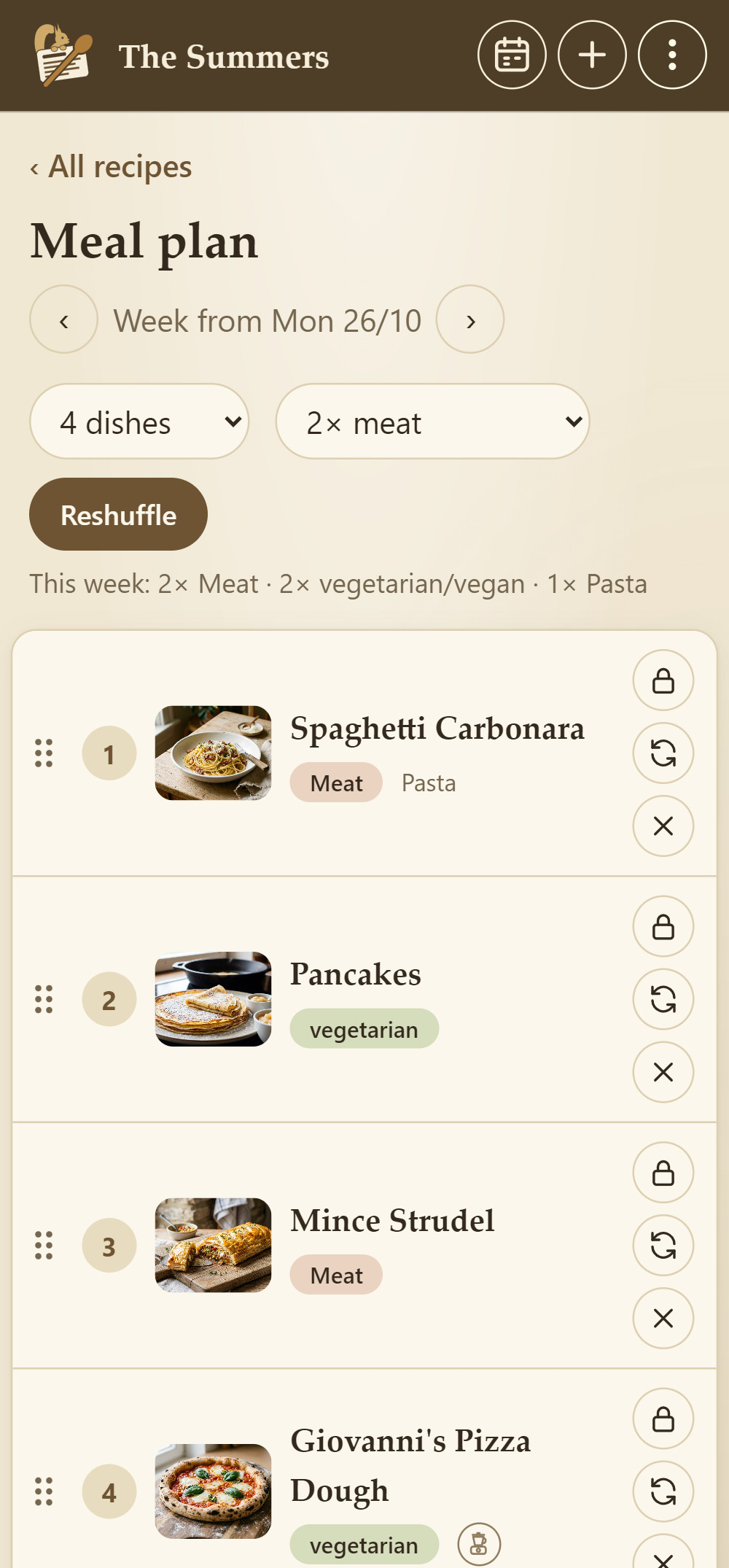
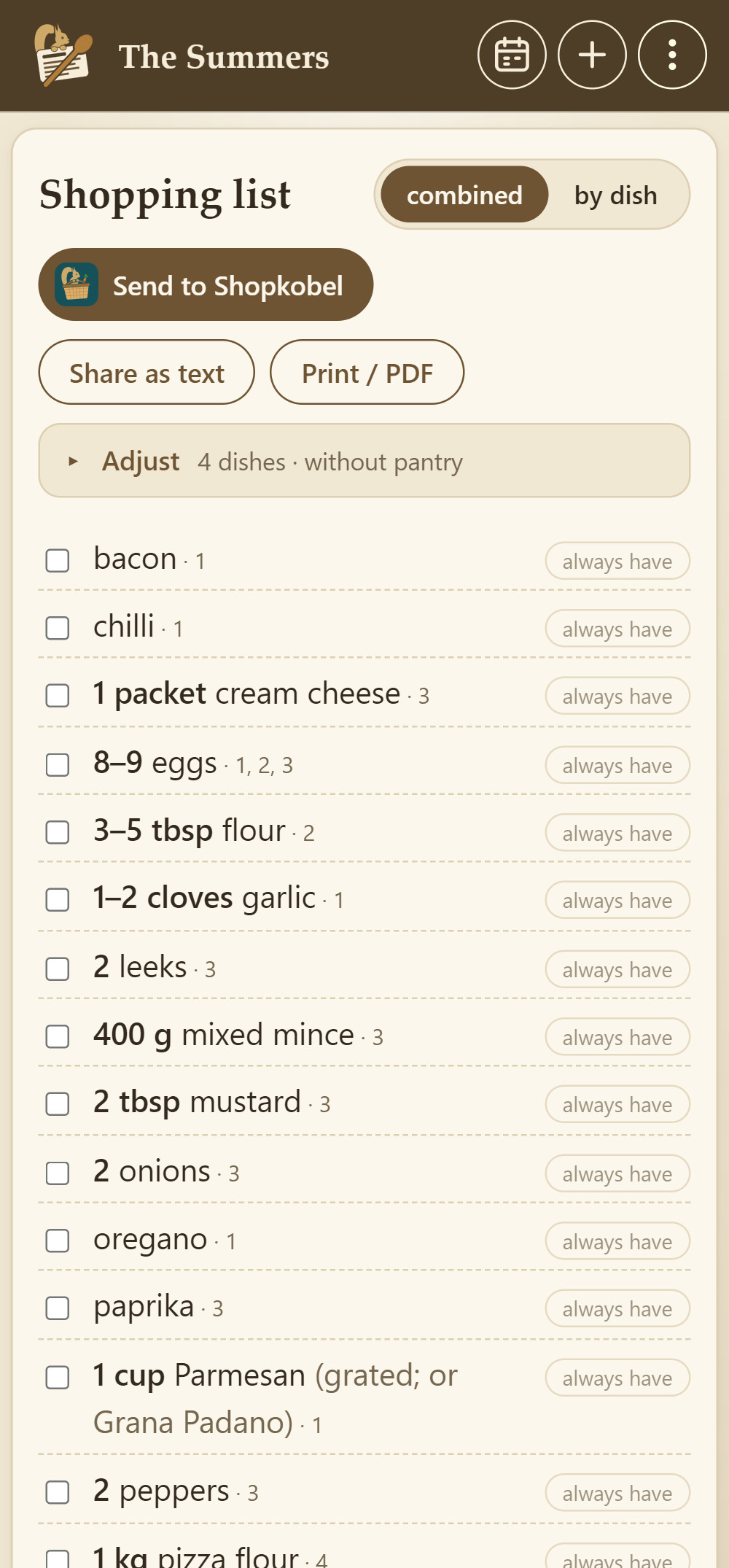
Scale quantities – in the steps too. While you cook, Cookobel walks you through the recipe step by step, with the ingredients you need right then. Plan the week in a few taps. The shopping list adds up all the ingredients and shows which dish each one is for. Anything you always have at home is left off. One tap sends it to Shopkobel, our app for the shop.
Swap with family and friends
Link the devices in your household and you all share the same collection. With family and friends you swap recipes: on a visit or in a café you share your cookbook. From afar you send a recipe card via WhatsApp.
Swap recipes wherever you meet
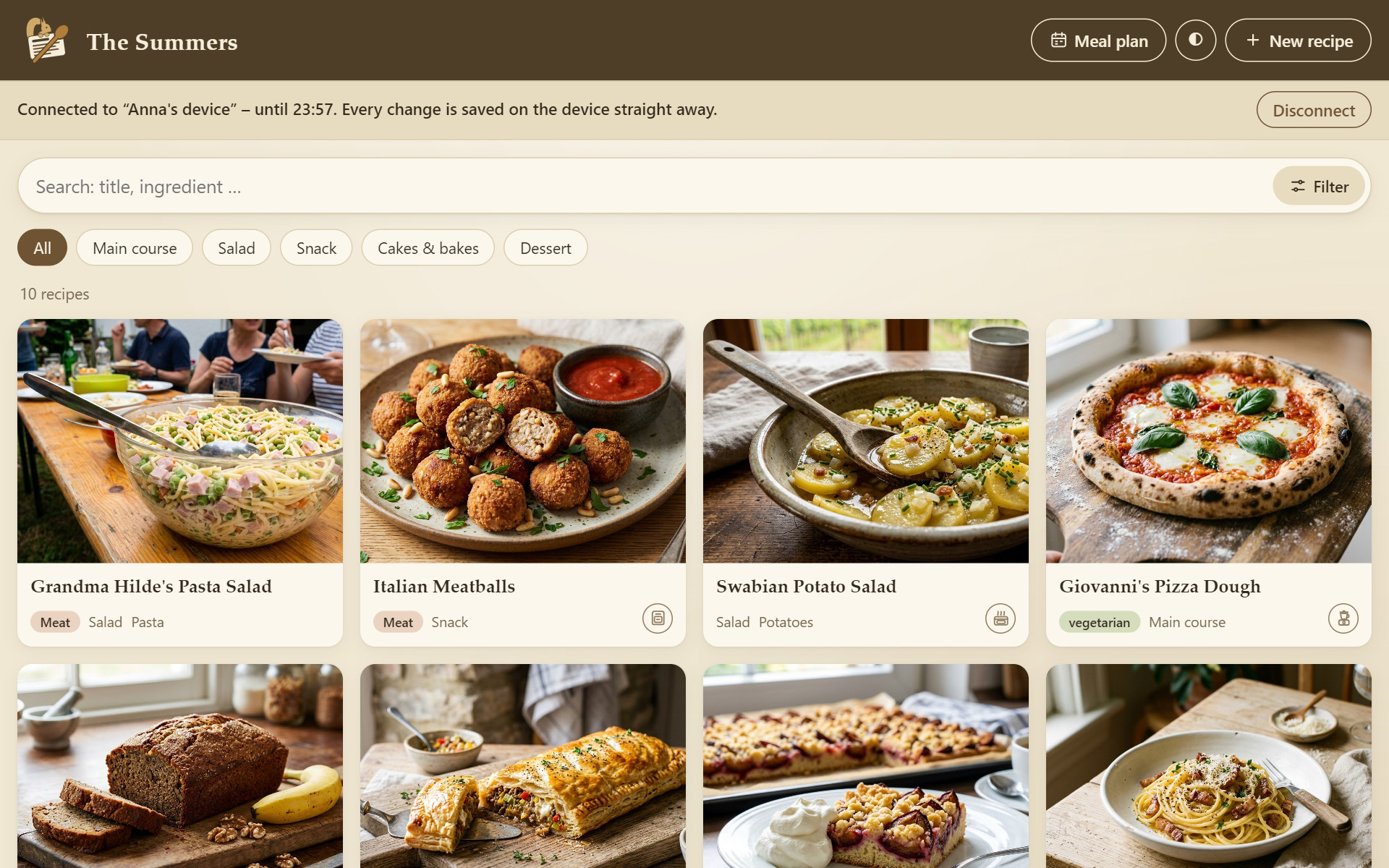
Cookobel thrives on getting together. Over coffee, at a barbecue or at Grandma's, favourite recipes travel from device to device with a single tap, photos included and without any cloud. The more family and friends join in, the fuller everyone's collection gets.
- On a visit
- In a café – even without Wi-Fi
- At a barbecue
- At the club
- From afar via WhatsApp

On a visit or in a café
Share your cookbook
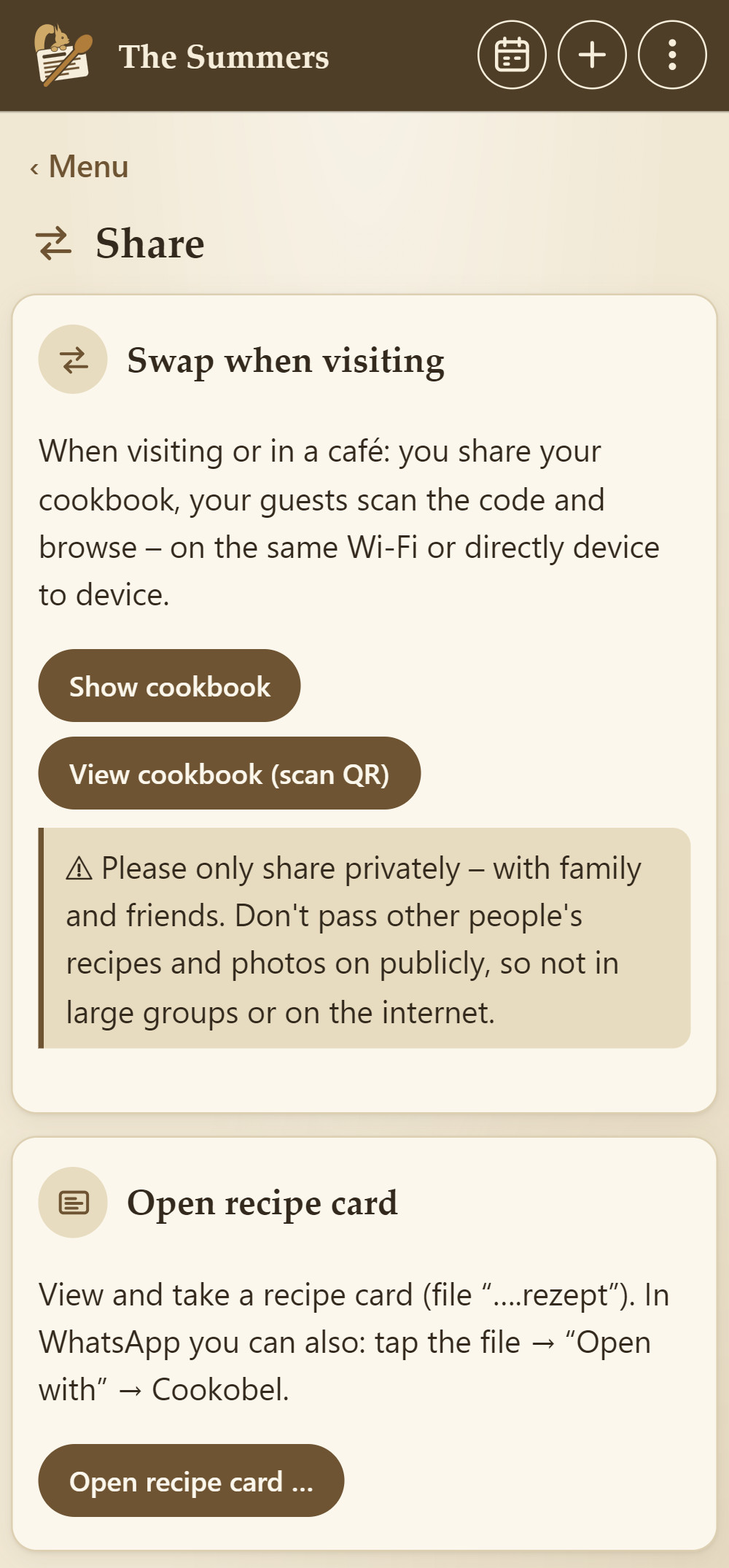
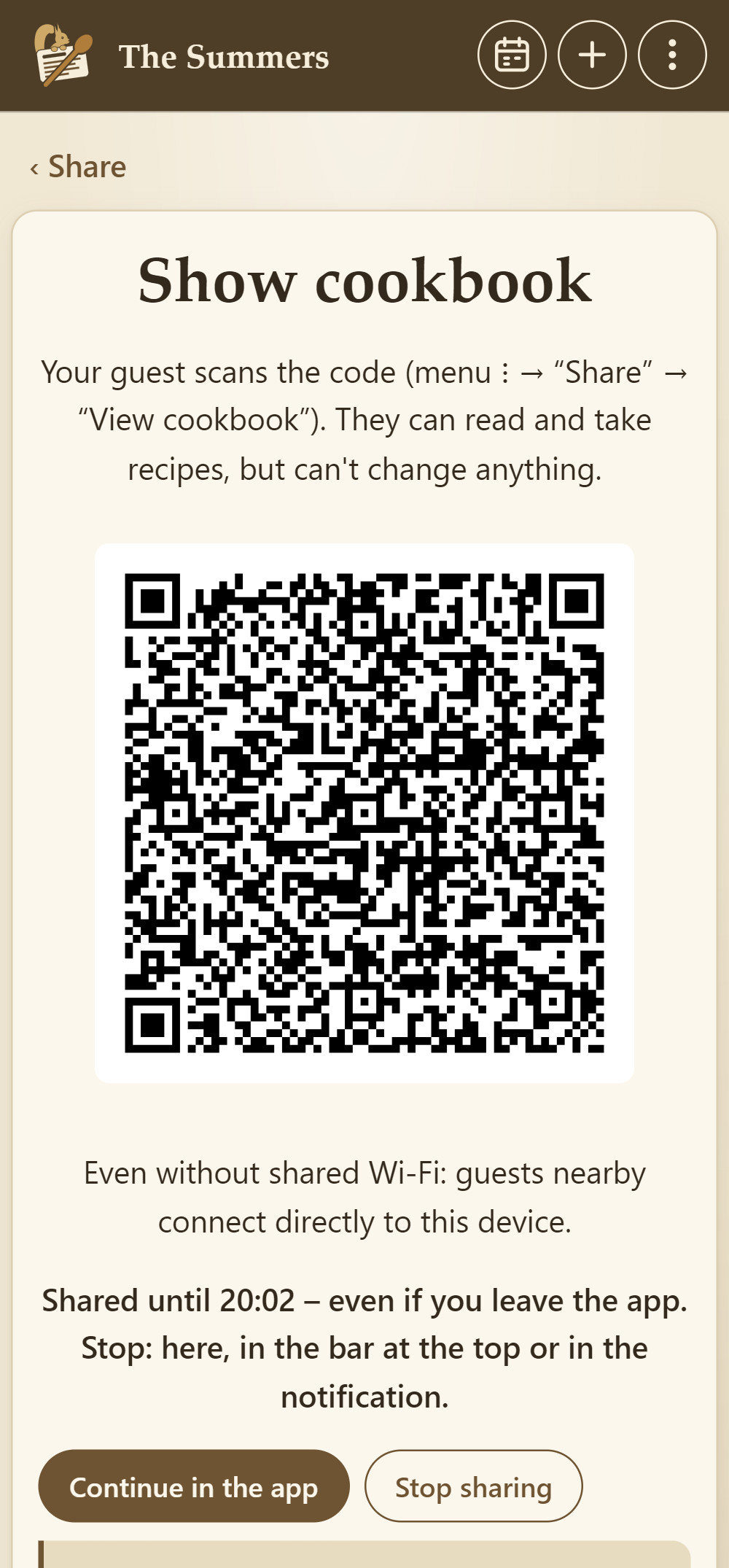
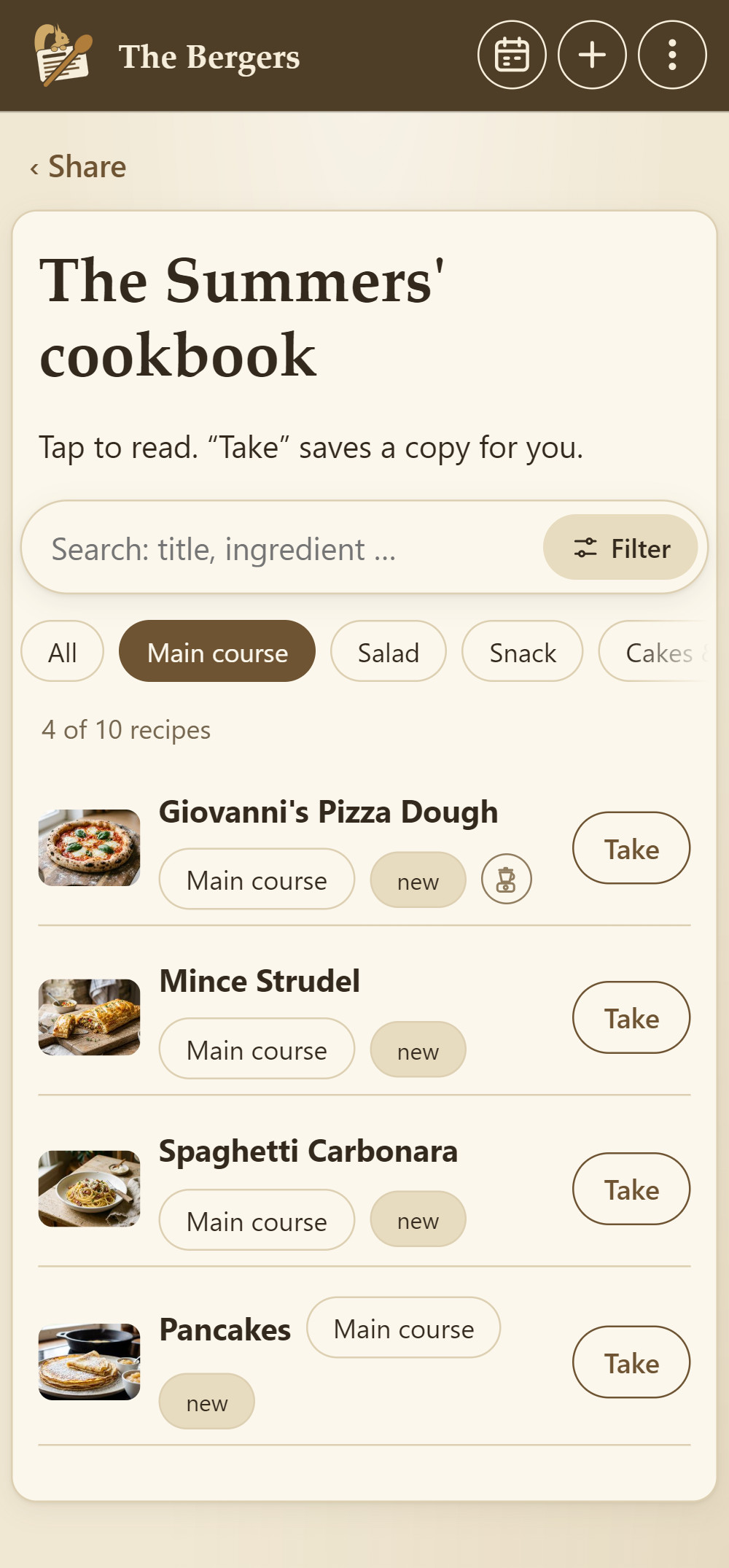
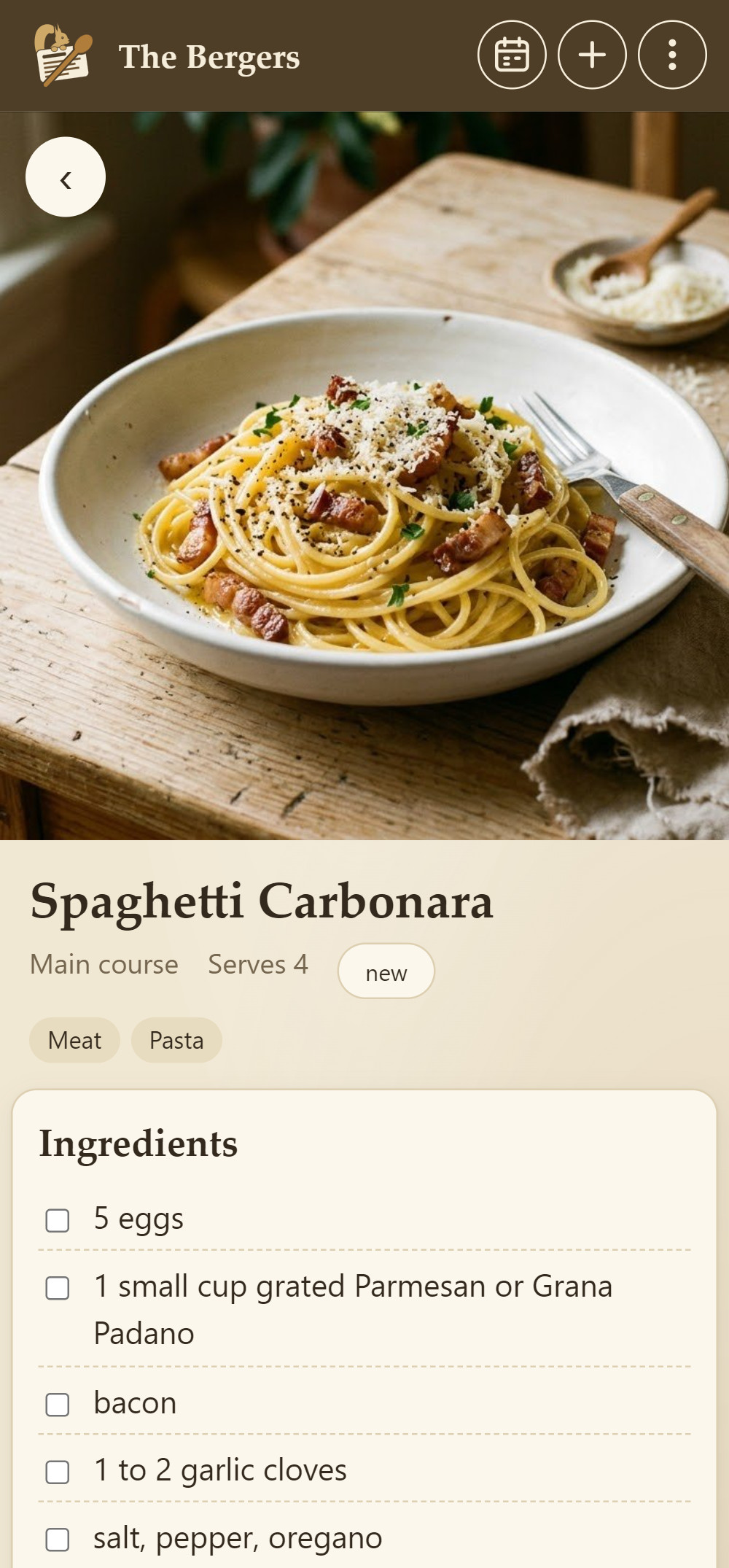
You share your cookbook with your guests' devices – on the same Wi-Fi or, say in a café, directly from device to device. The QR code is just the key: scan it once, and your guests browse your whole collection as if it were their own.
- Search, filter, take. Your guests filter just as they would in their own collection, for example by main course, cakes, vegetarian or kitchen appliance. Whatever they like, they take with one tap, photos included – even lots of recipes in a row.
- Read-only. Your guests can't change anything.
- Directly from device to device. Encrypted, with or without Wi-Fi. Nothing goes over the internet.
- Back in at any time. Anyone who does something else in between can reopen the cookbook without scanning again. If several families are there, each shares its cookbook and everyone browses everyone's.
- Ends by itself. After three hours it stops – or straight away when you tap “Stop”.
Your household
Link the devices in your household with a QR code. Whatever one of you adds or changes, everyone has – meal plan and shopping list included. Syncing runs directly over your Wi-Fi.
From afar: send a recipe card
Send a recipe with its photos as a recipe card via WhatsApp, email or any messenger. On the other device Cookobel opens the card, and one tap takes the recipe.
Knows where it came from
Cookobel remembers who a recipe came from. If it has been improved there, the app offers “Update” the next time you swap. Recipes you already have don't end up twice in your collection.
One photo – and the squirrel works its magic
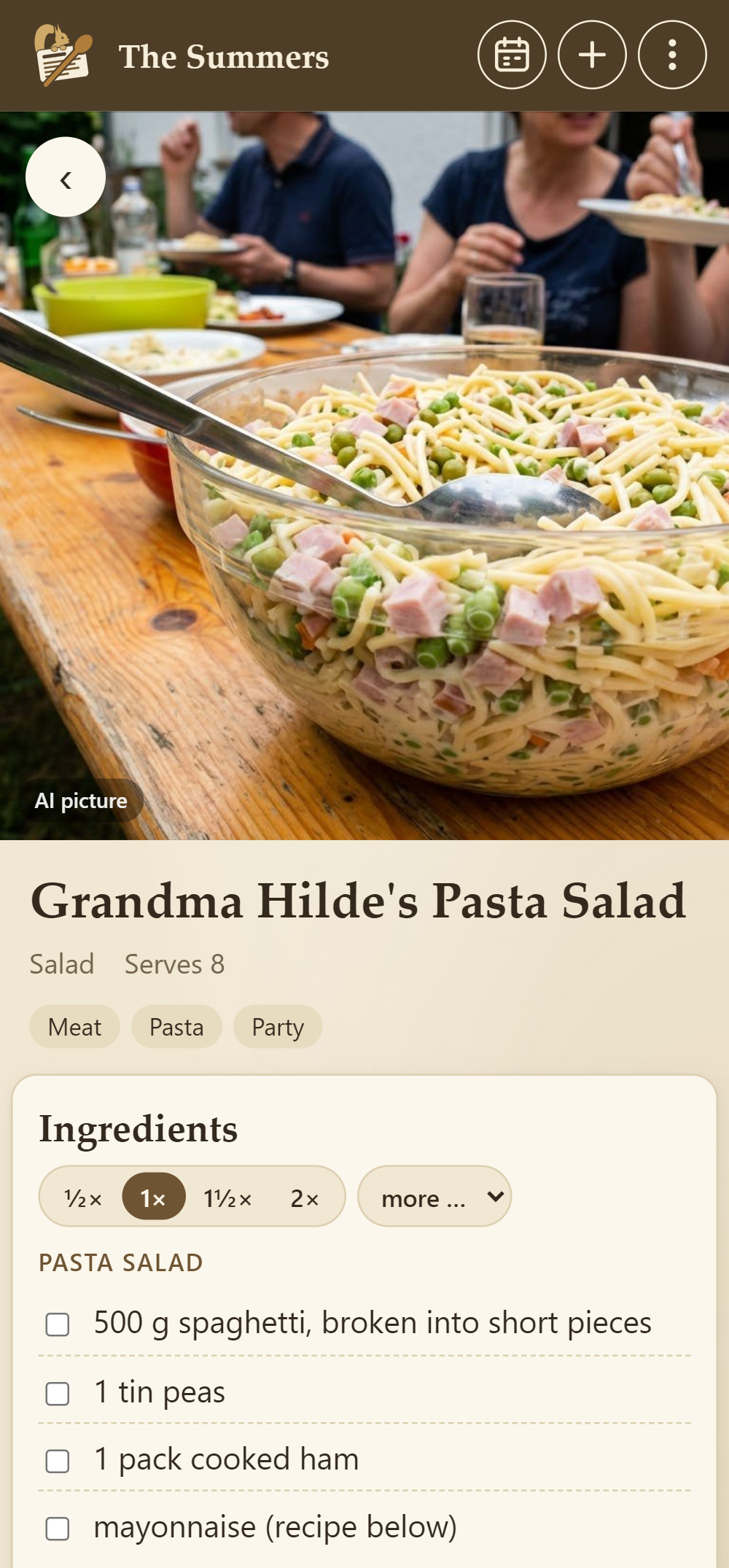
Cookobel doesn't just read the recipe. It understands it and puts it into a shape you can cook, plan and shop with – and translates it into English if it's written in another language.
Reads almost anything
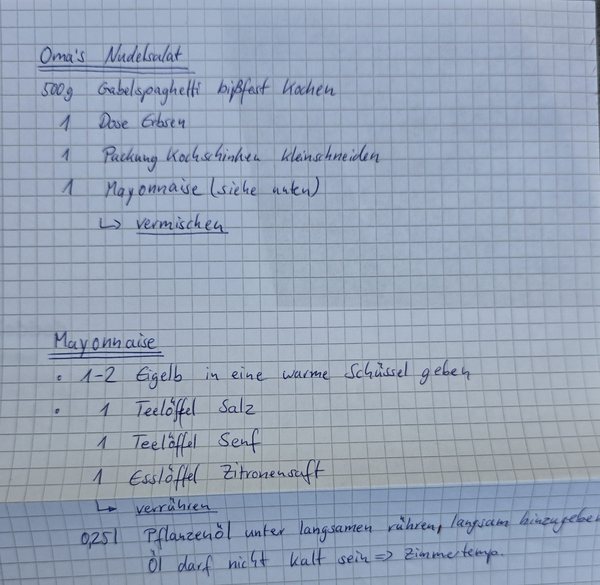
Handwriting, cookbook pages over several photos, screenshots and web pages. Cookobel focuses entirely on the recipe.
Understands what's meant
“1 cup flour”, “4 oz butter” or “juice of 1 lemon”: cups, ounces, abbreviations and other languages become clear amounts in grams and millilitres – with the original in brackets.
Makes everything consistent
Every recipe has the same clear layout. That's how the shopping list can add everything up and quantities can be scaled for more people.
Sorts it straight away
Category, servings and tags such as vegetarian, fish, low carb, Thermomix, air fryer or steam oven – without you typing a thing.
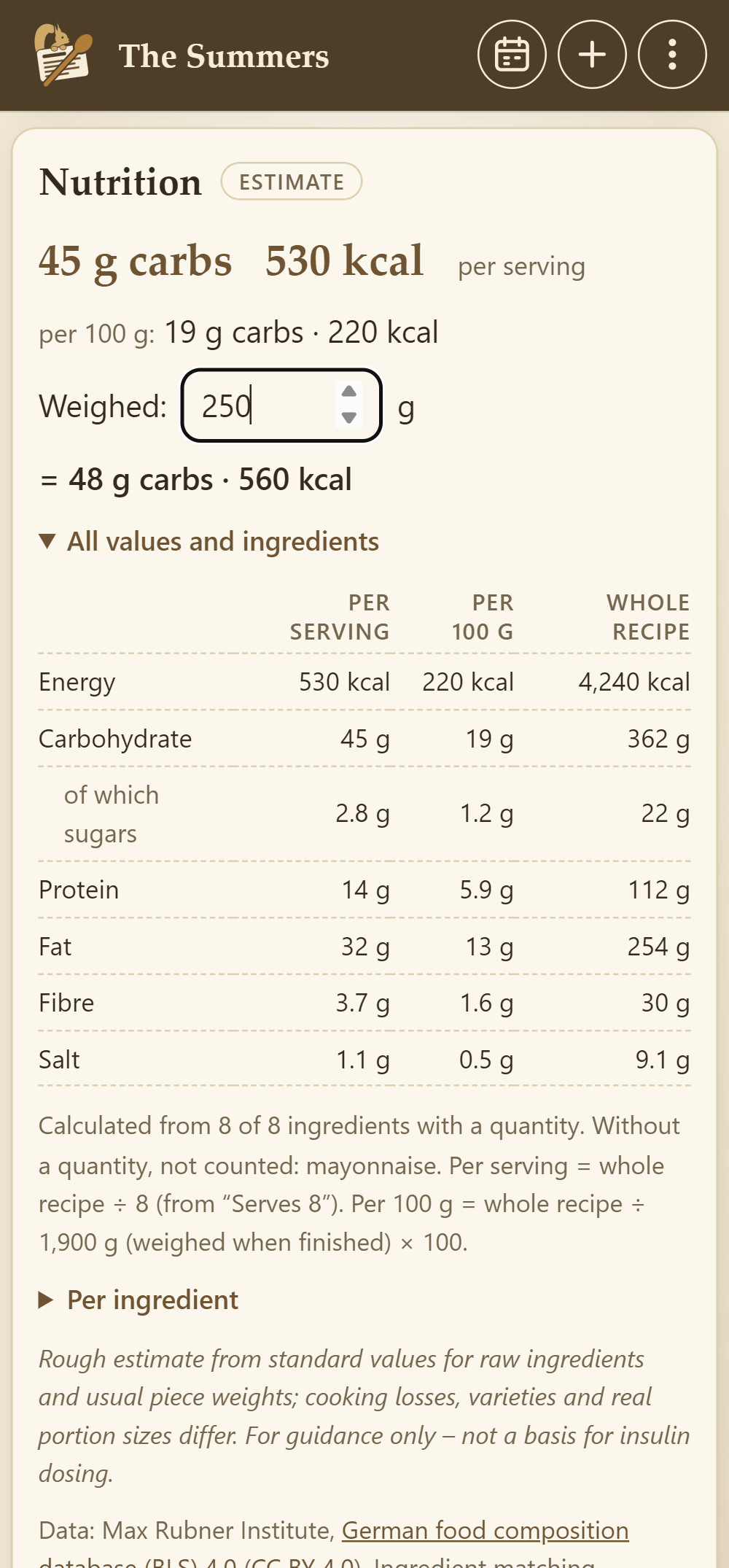
Nutrition per serving
Calories, carbohydrates, sugar, protein, fat and fibre per serving and per 100 g. Weigh your portion, and Cookobel works out the values for it. The values are estimates – for guidance only, not a basis for insulin dosing. If an ingredient is missing, Cookobel looks it up on request.
Stays true to the original
Quantities, times and temperatures stay as they are in the original. Cookobel doesn't make anything up, and tips and variations are kept.
And you have the final say: if something isn't right, change the recipe in a few taps, add your own photos or leave yourself a reminder in the notes.
On your computer
Type long recipes comfortably on your PC
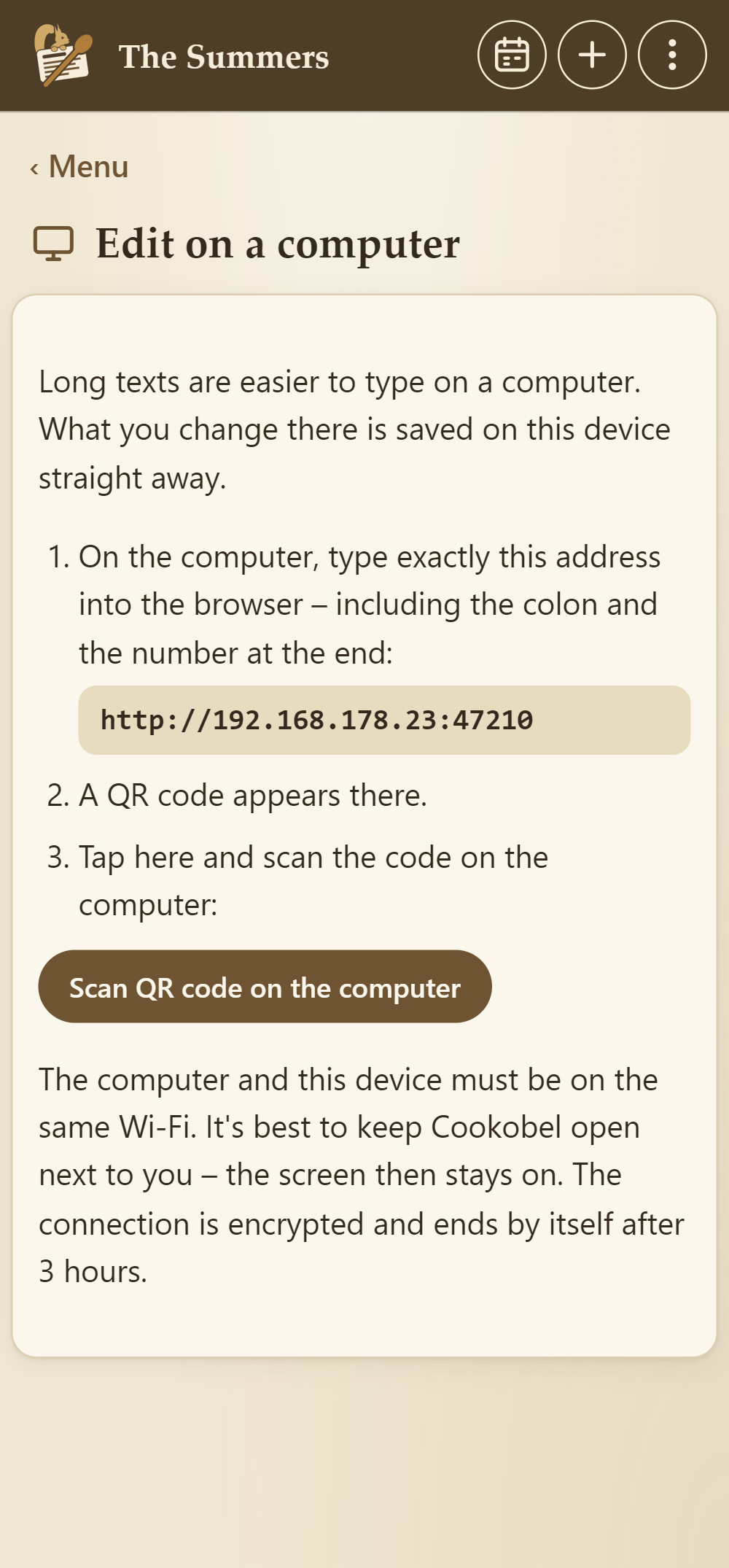
Your collection also opens in the browser on your computer, with no account and no cloud. Your device remains the source: in Cookobel, tap “Edit on a computer”, enter the address shown into your computer's browser and scan the code. Done.
- Big keyboard, big screen. Type long methods, upload photos from your computer, plan the week at your leisure.
- Straight onto your device. Every change is saved there at once and syncs with your household as usual.
- Private and encrypted. Only on your own Wi-Fi, and the key is in the code. After three hours it stops – or straight away with “Disconnect”.
- Nothing gets lost. Whatever you type, the browser keeps saving as a draft.
Why Cookobel?
Made for families – young and old.

While you cook
Make it now
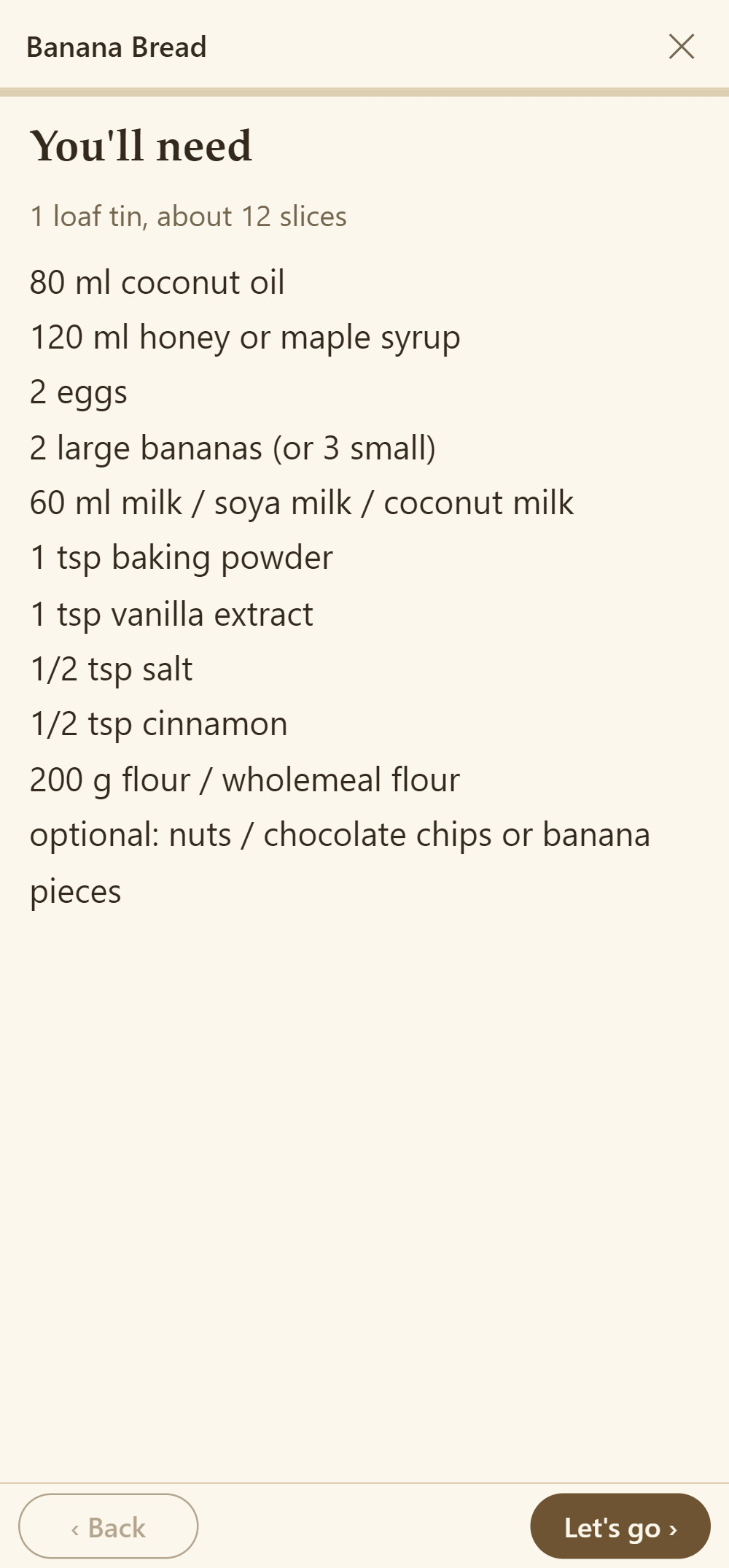
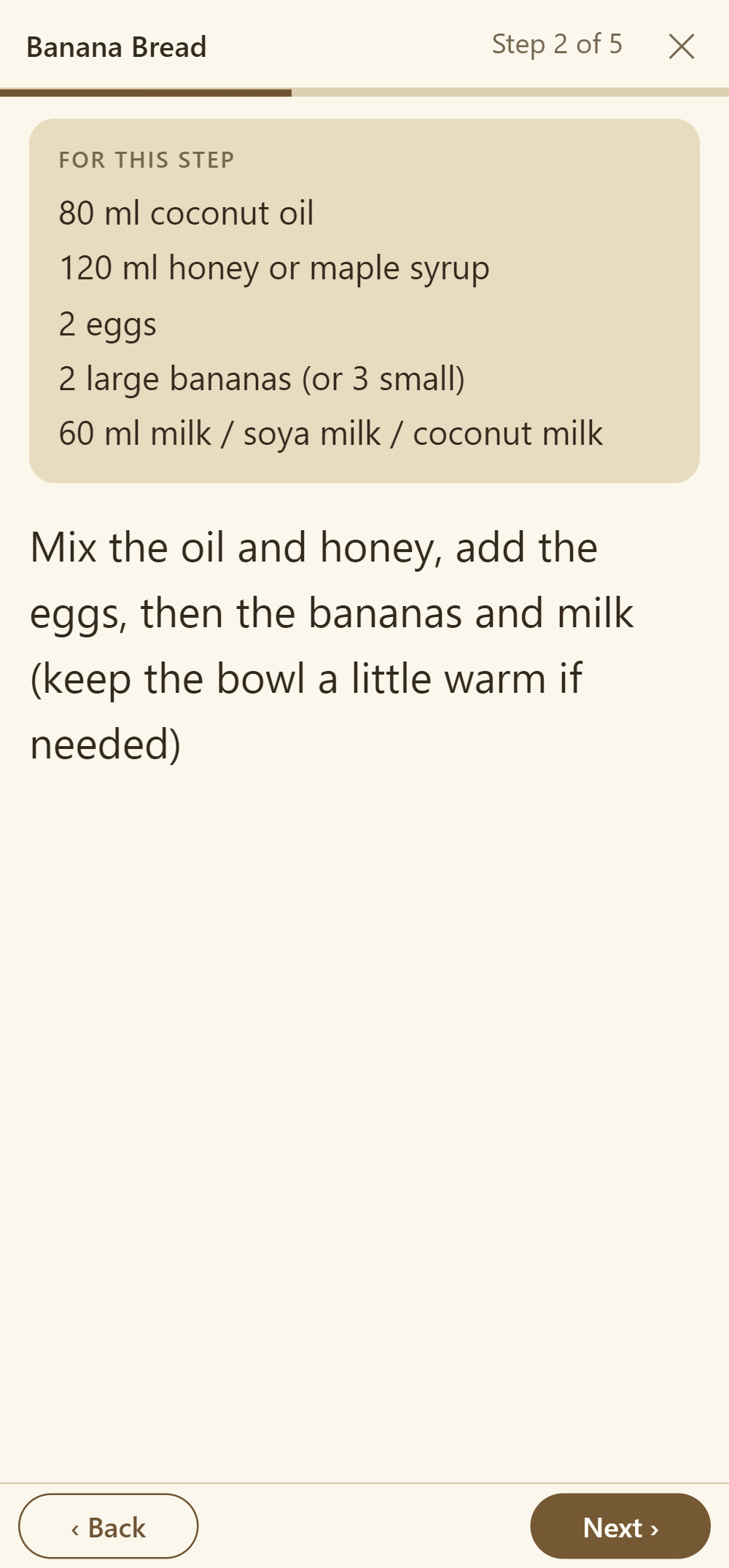
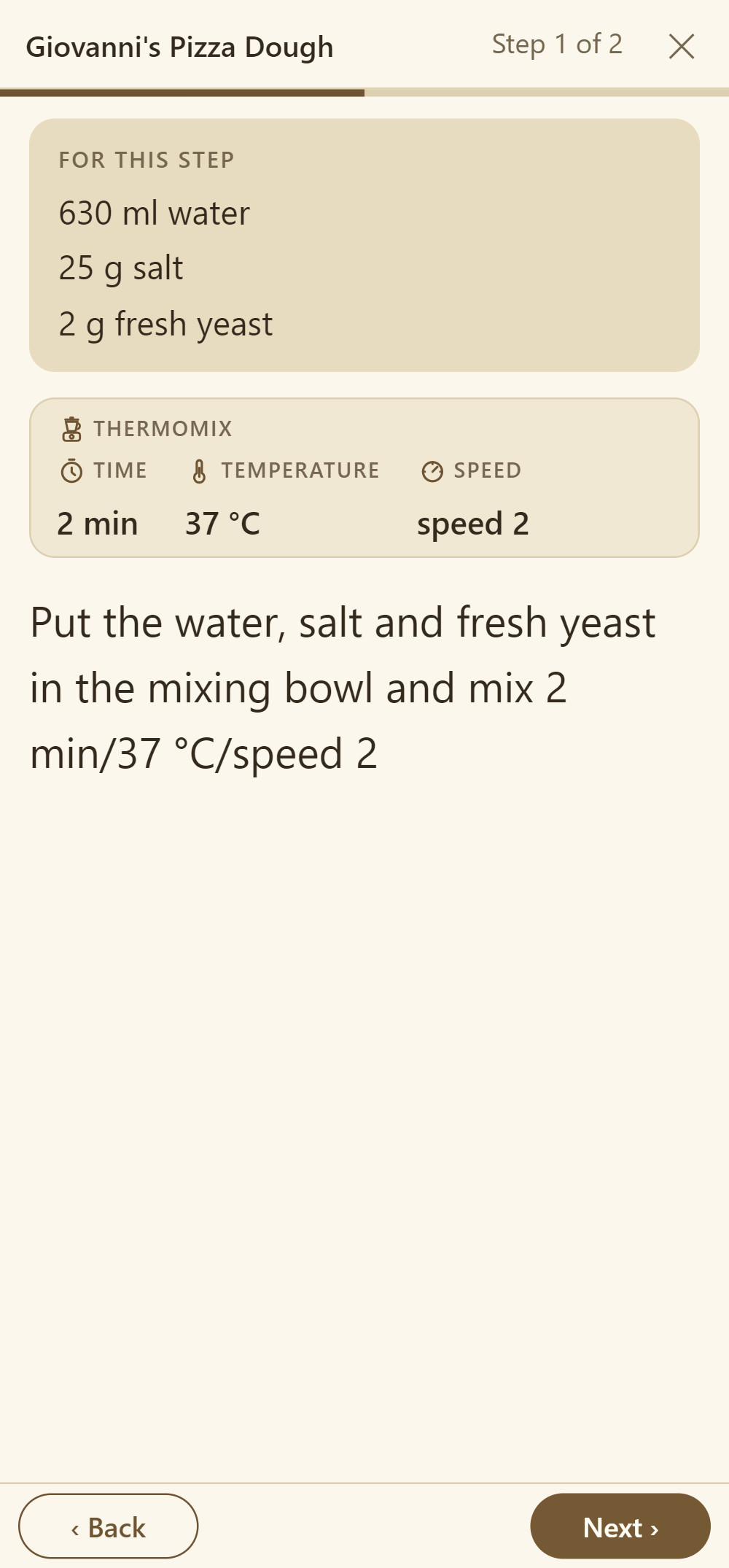
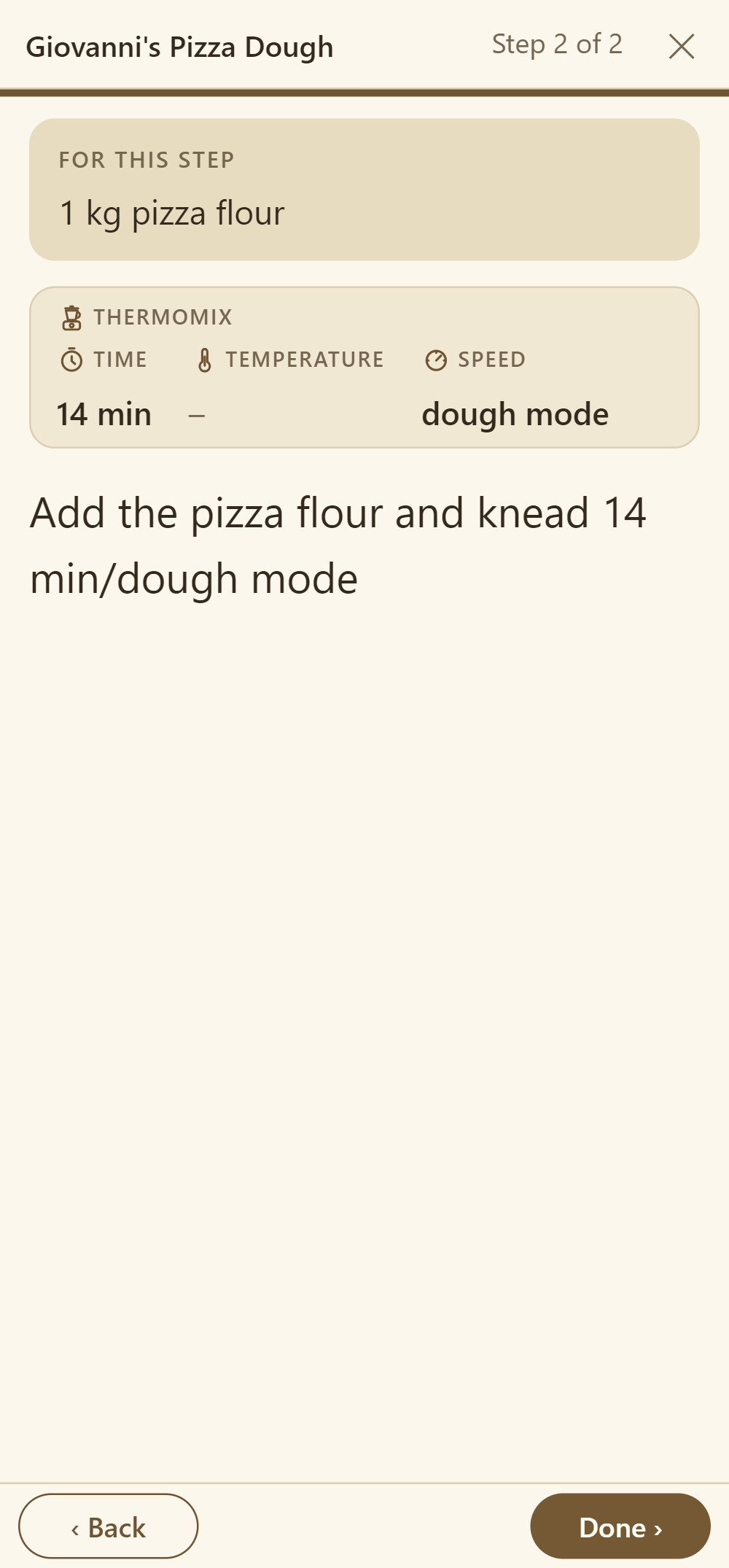
Tap “Make it now” and Cookobel walks you through the recipe full screen – one step at a time, in large type.
- Just what you need. Above every step are the ingredients it needs, with quantities – scaled if you've changed the amount. No scrolling back up to the ingredient list with dough on your fingers.
- Split amounts too. If some of the milk goes into the batter and the rest into the sauce, each step shows the right amount. The AI does the matching once per recipe, and it doesn't touch your credit.
- Times and temperatures at a glance. Baking time and oven temperature stand out above the text – for the Thermomix®, the time, temperature and speed of every stage.
- Hands free. Tap on the right to go forward, on the left to go back. The screen stays on while you cook.
For recipes without a photo
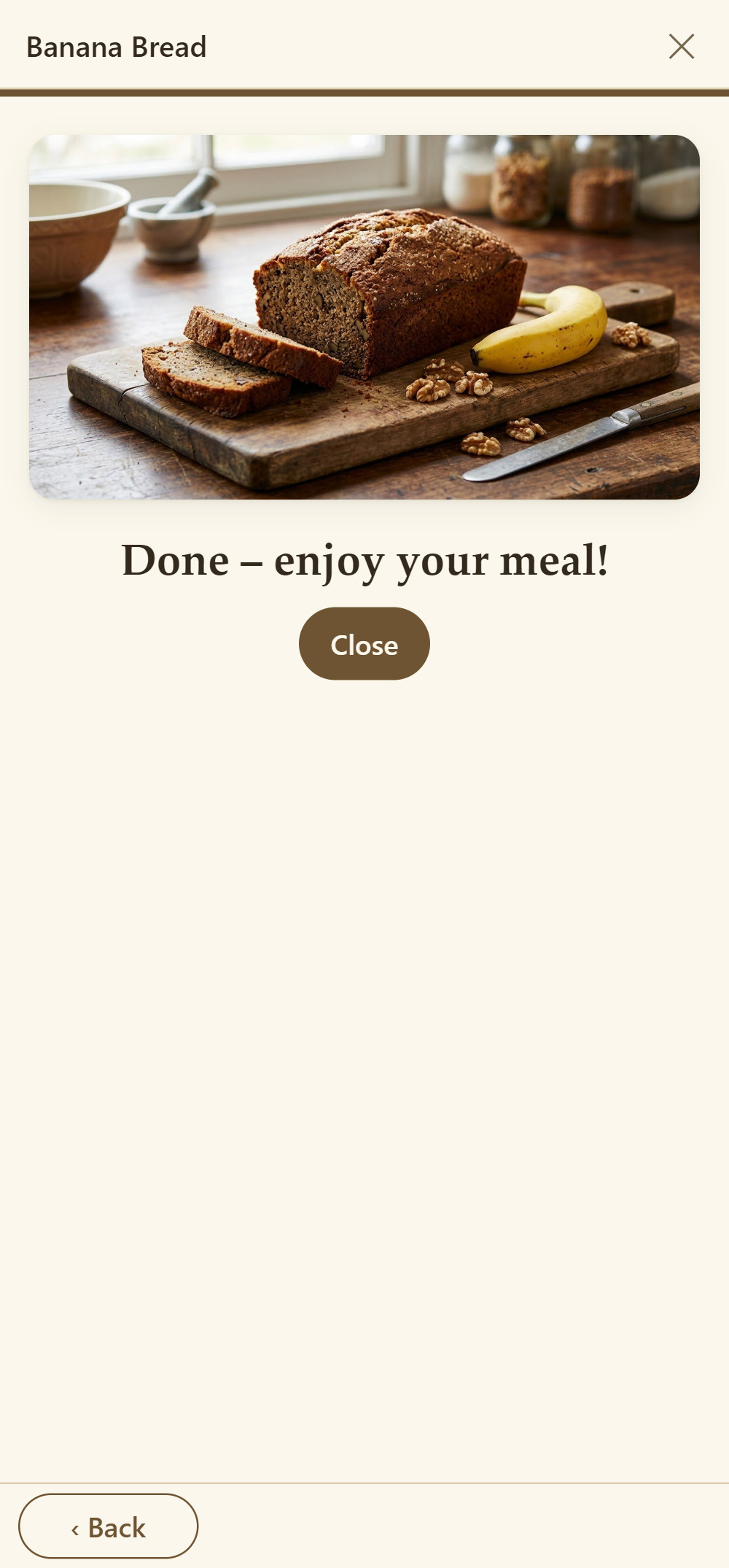
A picture for every recipe
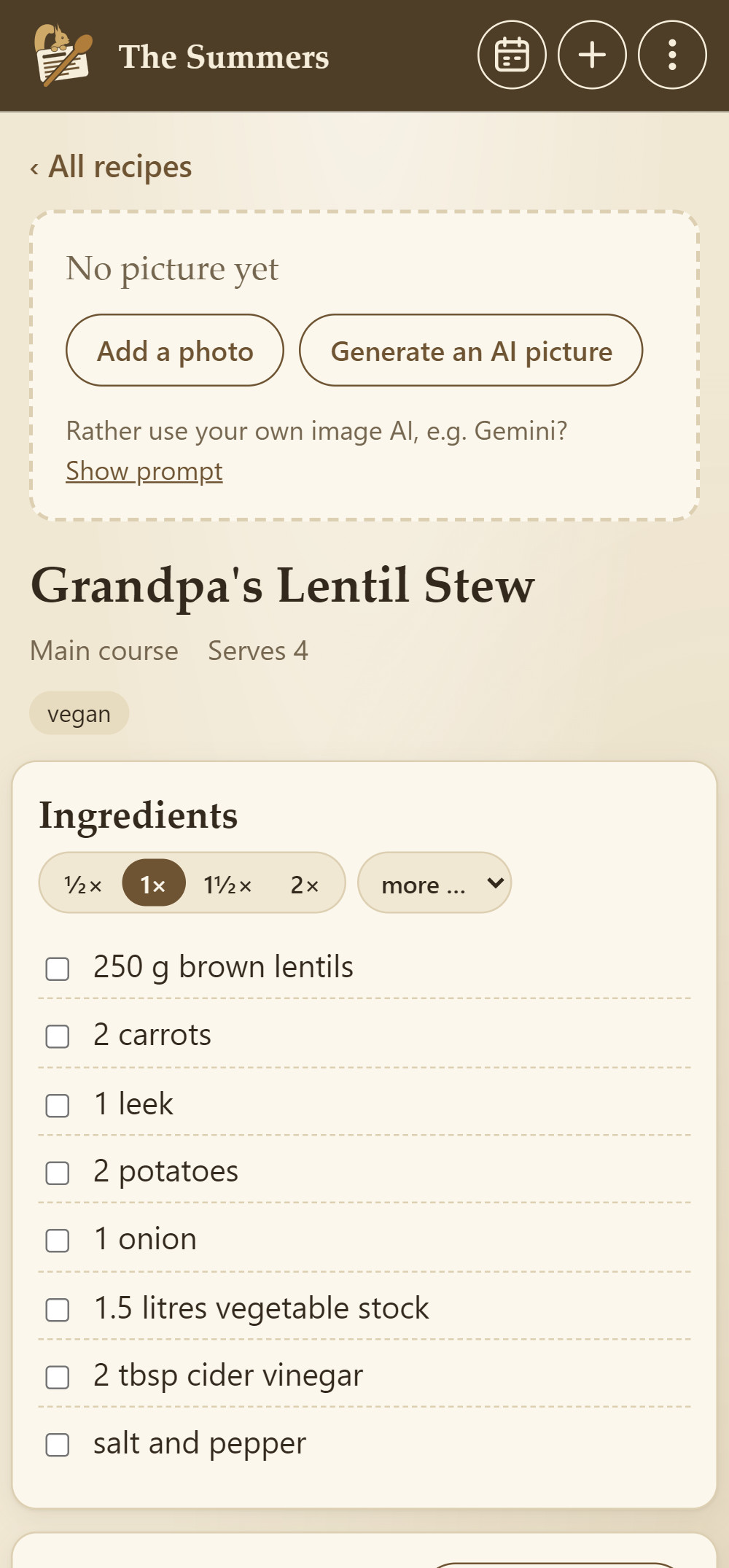
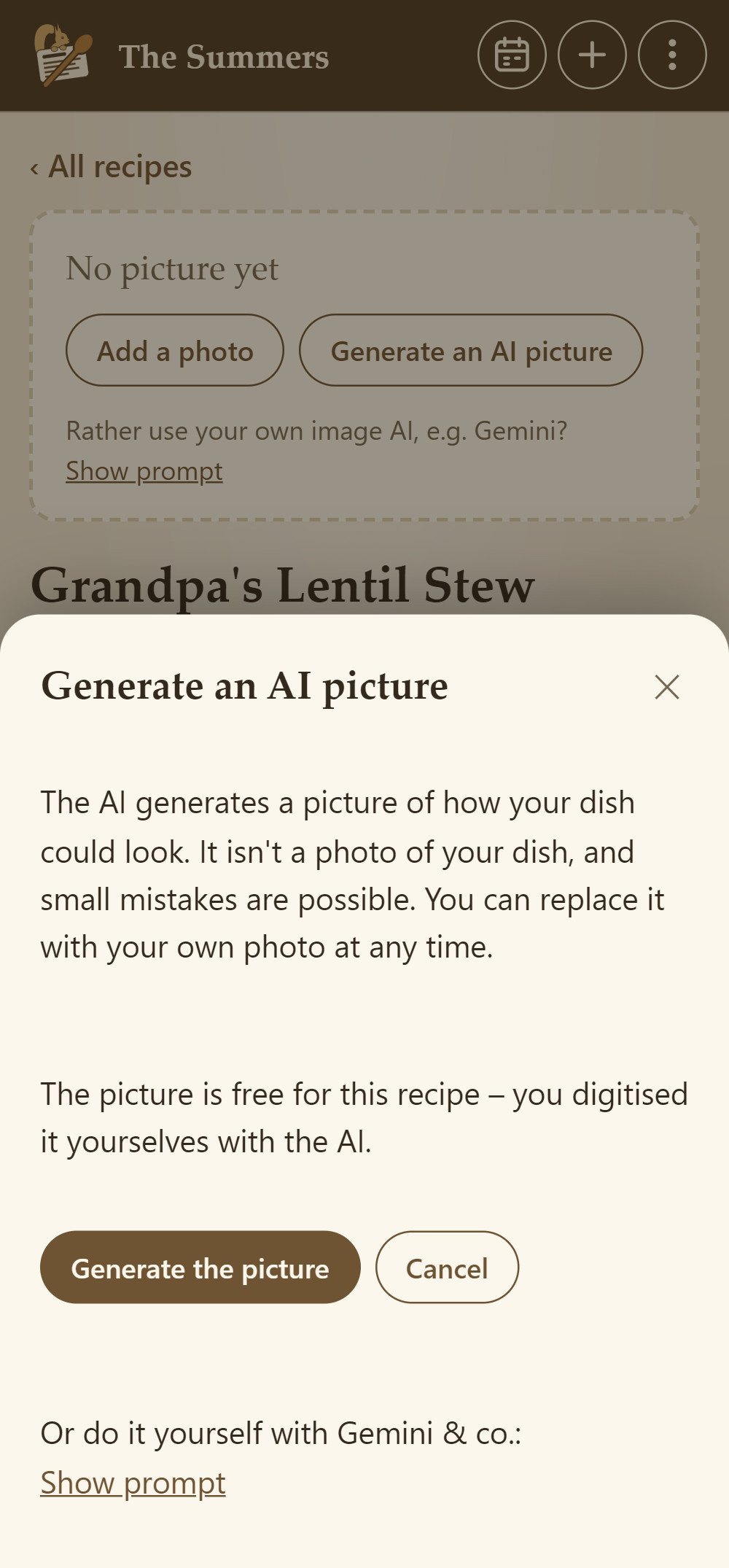
Grandma's recipe card, a recipe you typed in yourself or one from a friend's cookbook: not every recipe comes with a photo, and recipes from websites arrive without the site's photo for copyright reasons. If you like, the AI generates a picture of how the dish could look.
- Only when you want it. Cookobel never generates a picture by itself. Tap “Generate an AI picture”, and it's there in about ten seconds.
- Clearly marked. A small “AI picture” label in the corner shows it isn't a photo of your dish. Your own photo replaces it at any time.
- Not quite right? Say briefly what's wrong. The second try is free, and the AI takes a different approach.
- Fair costs. For recipes you digitise yourself with AI, the picture is included. Otherwise it uses one AI digitisation.
- Or with your own image AI. Cookobel writes the prompt for it from the recipe – free of charge.
For Thermomix®, air fryer and steam oven
An eye on the mixing bowl
Cookobel recognises recipes for the Thermomix®, the air fryer or the steam oven while digitising them. They get their own symbol – in the overview, in the recipe and in your guests' cookbook.
- Every stage at a glance. When you cook, each step has a fixed line with time, temperature and speed – Varoma, reverse and dough mode included. Without heat, it shows a dash.
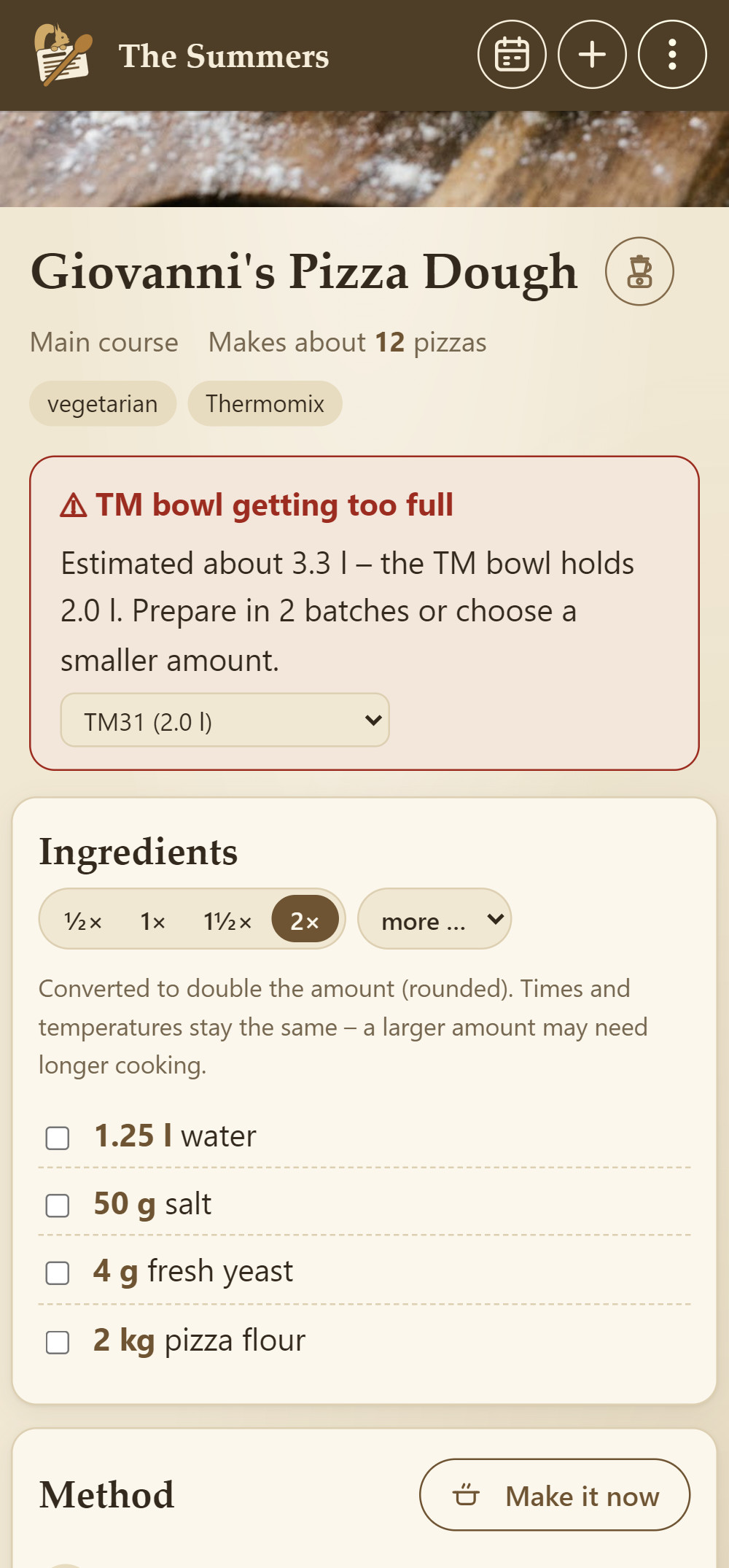
- Warns in good time. If you scale a Thermomix recipe up to more servings, Cookobel estimates the amount. If the bowl gets too full, you see straight away how many batches you need.
- Fits your machine. A bowl of 2.0 or 2.2 litres: choose once, and Cookobel remembers.
- Quick to find. Under “Kitchen appliance” in the filter, all recipes for the Thermomix, air fryer and steam oven are together.
From the Kobel family
Shopping with Shopkobel
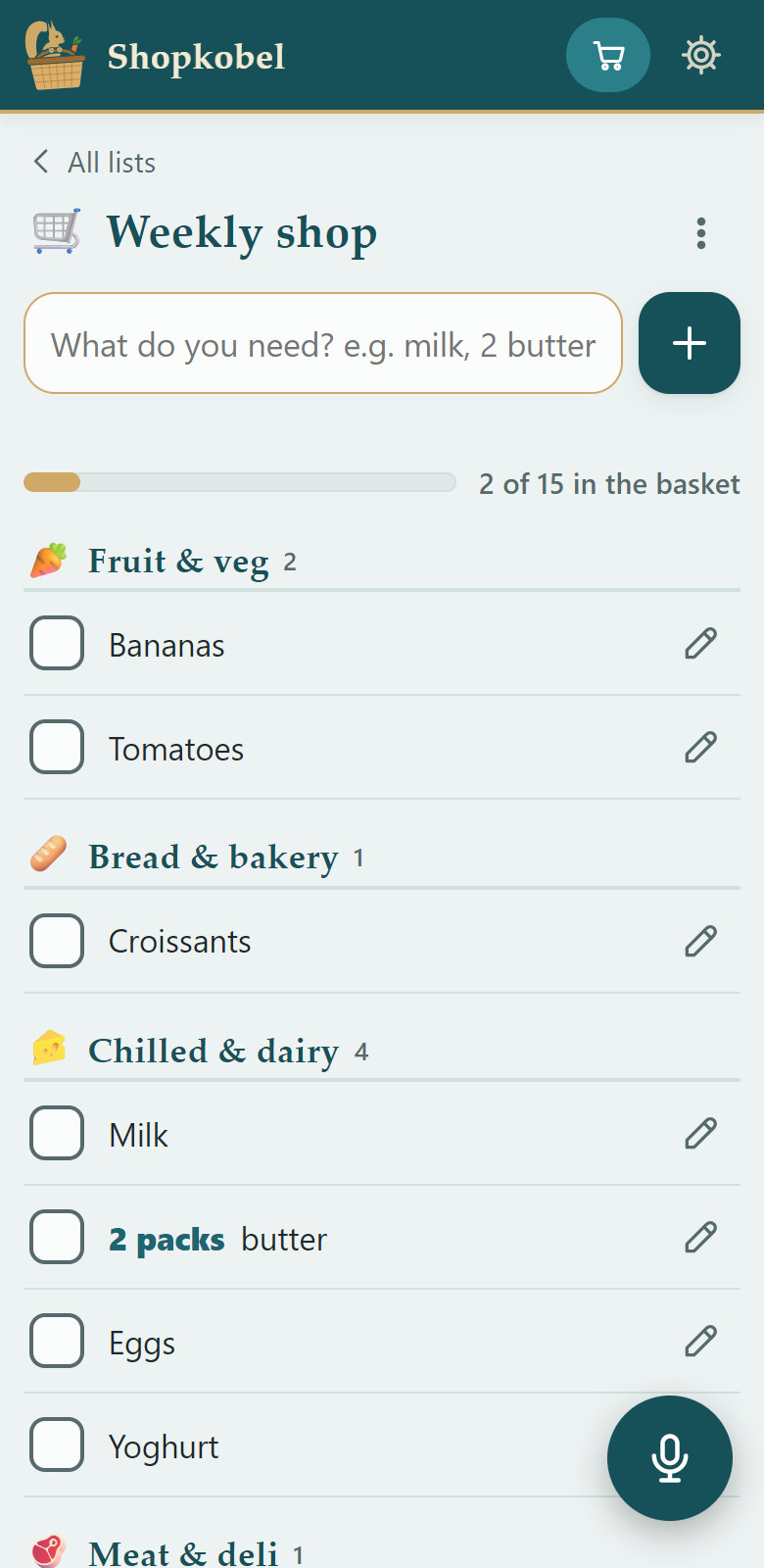
Shopkobel is our shopping list for the shop: it sorts everything by aisle and learns your way through your shop. Cookobel and Shopkobel talk to each other right on your device – no account, no server.
- Send. In the shopping list, tap “Send to Shopkobel”. Shopkobel asks which list the ingredients should go to and sorts them in with whatever you've added yourself. Send the week again and it replaces itself instead of appearing twice.
- Shop. In the shop you tick things off in Shopkobel, aisle by aisle.
- Report back. With “Report bought items to Cookobel”, whatever is in the basket is ticked off in Cookobel too.
Your recipes stay with you
Everything lives on your devices. No account, no cloud, no data harvesting.
No ads
No banners, no pop-ups, no distractions while you cook.
Easy for everyone
Large text, plain words, light or dark – for Grandma and Grandpa too.
Household, family, friends
Link the devices in your household, and whatever one of you adds, everyone has. Swap recipes with family and friends.
Meal plan & shopping list
Suggestions based on your rules, and dishes you cooked recently come up less often. Keep individual days or shuffle them again. The list comes combined or by dish – to tick off, print or send on.
To your taste
Add your own photos of the dish, adjust quantities or steps and add notes such as “less sugar next time”.
Printing on A4
With a photo and easy to read. The whole recipe usually fits on one page.
Thermomix, air fryer & steam oven
Cookobel recognises recipes for them and shows them with their own symbol. If the bowl gets too full when you scale a recipe, Cookobel warns you.
Backup in one tap
A file on your device or in Google Drive, so nothing gets lost. Restoring is just as easy.
Bin
Deleted something by mistake? Deleted recipes stay in the bin for 30 days and can be brought back.
Scaling right into the steps
From ½× to 6×, including the quantities in the method. Times and temperatures stay as they are.
Linking recipes
Create a sauce, a dough or mayonnaise as a recipe of its own and include it in the main recipe with the right amount. Scaling, nutrition and the shopping list take it into account.
From Grandma's plum cake to pizza
Family recipes that would otherwise vanish into drawers and notebooks – finally in one place.





What does Cookobel cost?
Start for free, buy once, AI credit only when you need it – no subscription at all.
Try it for free
Free
Room for 10 recipes and everything included: meal plan, shopping list, nutrition and swapping. Your first 5 AI digitisations are on us.
Full version for your household
€5.99 at launch
Unlimited recipes. Later the full version will cost €7.99. You buy it once, and it then works on all devices in your household.
AI credit when you need it
- 20 AI digitisations€2.49
- 50 AI digitisations€4.99
- 100 AI digitisations€8.49
For the whole household, and it never expires. You redeem vouchers in the app. An AI picture is included for recipes you digitise yourself; otherwise it uses one AI digitisation.
You pay through Google Play. The prices shown are euro prices including VAT; Google Play shows the price in your currency before you buy. Recipes you add by hand don't use any credit, and nothing renews by itself.
Questions & answers
Where are my recipes stored?
Only on your devices. The linked devices in your household sync directly over your Wi-Fi, encrypted. There is no server holding your collection.
Do I need to sign up?
No. No account, no email address, no password. You give your household a name – that's it.
What happens to my photos?
For digitising, they're sent to our service encrypted and deleted afterwards. Your app collects the finished recipe; after that it exists only on your device.
Is the picture of a recipe a real photo?
Only if you took it yourself or photographed it along with the recipe. Pictures generated by the AI carry an “AI picture” label in the corner. They show how the dish could look, and small mistakes are possible. For the picture only the recipe text goes to our service; the image service only receives a short description of the dish.
What does Cookobel cost?
The basic version is free and has room for 10 recipes. For unlimited recipes you buy the full version once: €5.99 at launch, later €7.99, with no subscription. You only get credit for AI capture when you need it, from 20 AI digitisations for €2.49 to 100 for €8.49 – Google Play shows the price in your currency. The first 5 are on us. Recipes you add by hand cost nothing.
Does everyone in the household have to buy the full version?
No. One person buys it with their Google account, and it then works on all linked devices in your household. You share the AI credit too. On a new device with the same Google account, “Restore purchase” brings the full version back.
How do I swap recipes with friends?
On a visit or when you're out, you share your cookbook with your guests' devices, on the same Wi-Fi or directly from device to device. A QR code opens the access. Your guests browse it and take whatever they like. From afar, you send a recipe card via WhatsApp or email. The other device needs Cookobel for this.
Can I see nutrition per 100 g?
Yes. Next to the values per serving, the “Nutrition” box shows the values per 100 g. Enter under “Weighed” how much is on your plate, and Cookobel works out the values for it. Per 100 g is first based on the raw ingredients; weigh the finished dish once and enter it under “Edit” in “Finished weight”, and it gets more accurate. All values are estimates – for guidance only, not a basis for insulin dosing.
Can I work on a computer too?
Yes. In Cookobel, tap “Edit on a computer” in the menu, open the address shown in your computer's browser and scan the code. The device and the computer need to be on the same Wi-Fi. Your recipes stay on the device.
Which languages does Cookobel speak?
English and German. Cookobel follows your device's language; you can change it in the menu ⋮ under “Language & display”. Recipes in other languages are translated into English when they're digitised.
May I share recipes?
Yes, within your private circle – with family and friends. Please don't share other people's recipes and photos publicly.
Is Cookobel available for iPhone?
For now, it's Android only – on Google Play.
Is there a user guide?
Yes, with pictures from the app – to read on screen or print: user guide as a PDF (10 pages).
How do you pronounce Cookobel?
“Cook-o-bell”. The name comes from cook and Kobel, the German word for a squirrel's home.
The Kobel family
Small apps for everyday family life, each with its own squirrel. Where they fit together, they talk to each other right on your device.
Cookobel
Your family recipes – private on your devices, with cookbook, meal plan and shopping list.
You are hereShopkobel
The shopping list that knows your shop – sorted by aisle.
shopkobel.com
Todokobel
Tasks and lists for the family – shared, with no account and no cloud.
Trackobel
Record or plan a route and follow it again exactly – with spoken directions on the way.